
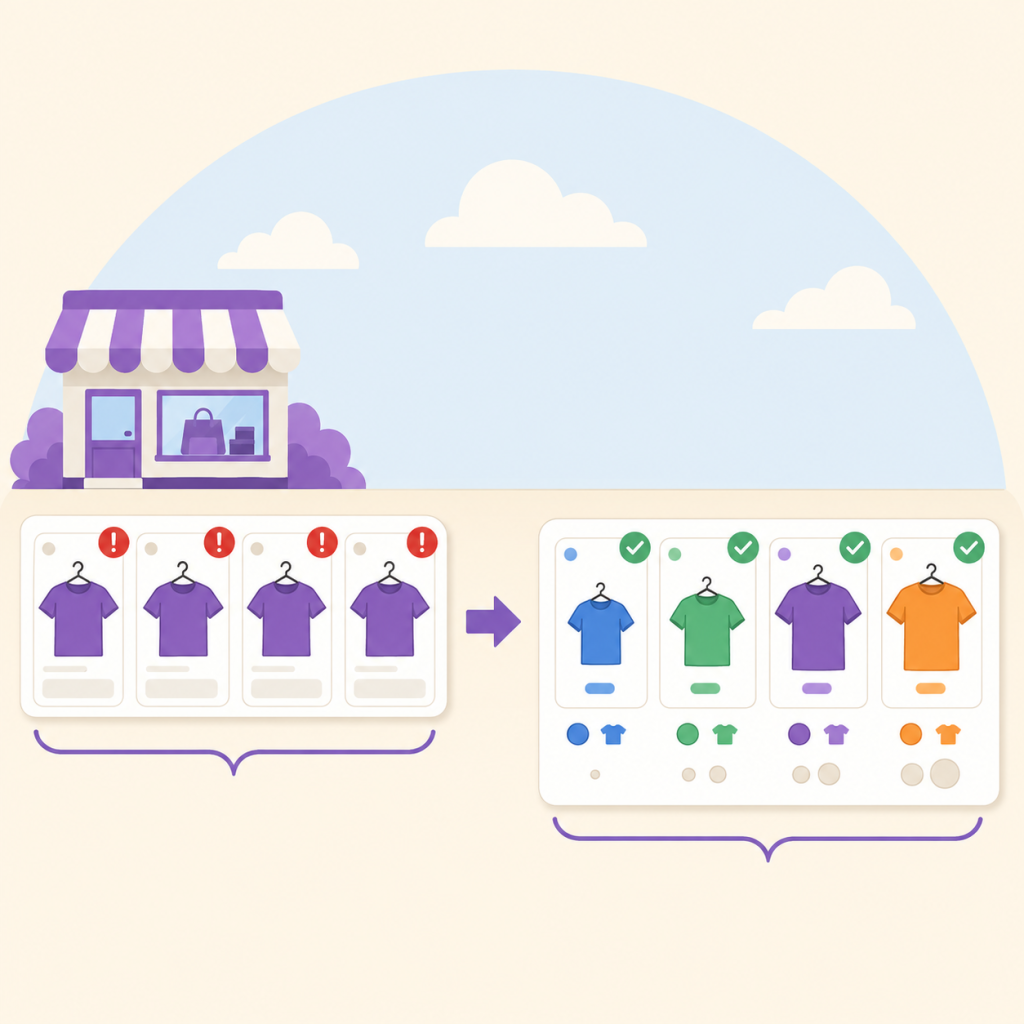
A WooCommerce variable product is exported as one entry per variation, grouped by an item group ID. If Google cannot tell those variations apart using colour, size, material, pattern, age group, or gender, it does not disapprove one variant. It affects the entire group.
You open Merchant Center and forty products are disapproved. Not one. Forty.
You check the first one. The image is fine. The price matches. The GTIN is there. You check the second one, and it is the same product in a different size. So is the third. By the time you get to the tenth you realise something uncomfortable: these are not forty problems. This is one product, and Google has taken down the entire family.
That is what a variant attribute problem looks like from the inside, and it is one of the few Merchant Center issues where the number of disapproved products tells you almost nothing about the size of the mistake.
What Google is actually doing with your variations
When WooCommerce exports a variable product, it does not send one product. It sends one entry per variation, and it ties them together with a shared item_group_id. Ten variations means ten products in your feed that Google needs to understand as ten faces of the same thing.
Google’s job at that point is to tell them apart. It does that with a specific, closed list of attributes. From the item group ID documentation, the variant attributes Google recognises are:
- color: the classic one, and the one most stores get right
- size: including sizes that are not clothing sizes
- material: leather, oak, stainless, cotton
- pattern: striped, floral, plain
- age_group: newborn, infant, toddler, kids, adult
- gender: male, female, unisex
There is also variant_option, a newer attribute Google uses alongside item_group_title for variant properties that do not fit the six above.
Here is the part that catches people. That list is Google’s, not yours. WooCommerce will happily let you build a variable product from any attribute you invent. Google will only reason about the ones on its list.
The failure that does not look like a failure
Picture a coffee roaster selling one blend in three grind types: Whole Bean, Filter, Espresso.
In WooCommerce that is textbook. One variable product, one attribute called Grind, three variations. The store works perfectly. Customers understand it instantly.
In the feed, it is three products sharing an item_group_id with nothing on Google’s list to separate them. Same title, same price, same image, same everything Google is willing to look at. Three products that Google cannot tell apart.
Now do the same exercise with Length, Voltage, Flavour, Scent, Capacity, Finish, Pack Size, Wattage. Every one of those is a perfectly sensible WooCommerce attribute. Not one of them is a Google variant attribute.
This is why the problem clusters in stores that are not selling clothes. Apparel stores stumble into compliance because their natural attributes are colour and size. A hardware store, a coffee roaster, a lighting supplier, a supplement brand: they all build variations from attributes Google has never heard of.
Why the whole group goes down, not one variation
This is the part worth understanding properly, because it changes how you triage.
Google’s own guidance for the missing attribute value for grouped variants issue describes the problem as submitting “multiple products that use the same item group ID, but don’t consistently include the same variant attributes.” And on the consequence, Google is blunt: the entire item group is affected.
Read that again, because it inverts the usual instinct. With most feed errors, one bad product is one bad product. A missing GTIN on a coffee grinder does not hurt the kettle. Variant attributes do not work that way. The grouping is the unit, so the grouping is what fails.
Which means the disapproval count in your dashboard is measuring the size of your catalogue, not the size of your problem. Forty disapproved products can be four broken product groups. I have seen people spend a whole afternoon editing forty rows one at a time when the actual fix was four attribute renames.
How to find the broken variable product in WooCommerce
Start in Merchant Center, because that is where the truth is. Go to Products, open the Needs attention tab, and filter for the grouped variants issue. Google lets you download the affected products as a CSV, which is the fastest way to see the shape of it. Sort that file by item group ID. If the same group ID appears ten times, you are looking at one product, not ten.
Then come back to WooCommerce and open one of those products. Go to the Attributes tab and read the attribute name. Not the values, the name. That name is the whole ballgame.
If it says Grind, or Length, or Wattage, you have found it.
Fixing it without breaking your store
There are two honest paths, and which one you take depends on whether the attribute maps onto Google’s list or not.
If it maps, rename it. A “Length” attribute on cables is a size. A “Finish” attribute on taps is usually a color or a material. A “Pack Size” is a size. Renaming the attribute in WooCommerce so it matches Google’s vocabulary is the cheapest fix available, and most feed plugins will then map it automatically.
If it genuinely does not map, add one that does. Grind type is not a size, a colour, or a material, and pretending otherwise is the kind of thing that gets you a misrepresentation problem later. In that case you add a second variation attribute that legitimately distinguishes them. Bag weight works for coffee. Capacity works for a lot of hardware.
And there is a third option people forget: remove the item group ID. Google says so directly. If the variations really are not variants in Google’s sense, submitting them as separate standalone products is more honest than forcing a grouping that does not describe reality.
One caution before you start renaming things. WooCommerce attribute names are used in URLs, in variation dropdowns, and sometimes in structured data. Changing them touches your storefront, not just your feed. Do it on staging first, and check that your variation dropdowns still behave.
Checking your catalogue before Google does
The awkward thing about this issue is the feedback loop. You submit, you wait, Google tells you days later, you fix, you wait again. On a catalogue of any size that is a slow way to learn.
You can shortcut it by reading the data locally. Every variable product in your store already knows which attributes build its variations, so the check is: for each variable product, does at least one variation attribute map onto Google’s six?
That is the check FeedProof runs, and it is in the free version. It reads your product data directly rather than crawling your storefront, flags variable products whose variations Google will not be able to distinguish, and tells you which attribute to rename. It is on by default, so if you install it and scan, you will see this one without configuring anything.
Being straight with you about the limits: a local scan cannot tell you what Google has actually decided about your account. It reads your catalogue, not Merchant Center. If you are already sitting on disapprovals, the CSV from the Needs attention tab is still the authoritative list. A scan is how you stop the next batch, not how you diagnose the current one.
The habit that keeps this from recurring
Variant attributes are a setup-time decision, not a maintenance task. You choose an attribute name once, when you build the product, and then it either works forever or fails forever.
So the habit is small: when you create a variable product, ask one question before you save it. Could a stranger tell these apart using only colour, size, material, pattern, age group, or gender?
If yes, you are done. If no, fix it now, while you have one product open, instead of in six months when it is forty rows in a CSV.
If you are working through a broader disapproval list, we have a walkthrough of the most common disapproval causes in WooCommerce, and a separate piece on what pushes a store from disapprovals into a full suspension.
Frequently asked questions
Does Google really disapprove every variation, or just the broken one?
Google’s documentation says the entire item group is affected. That is why the disapproval count can look catastrophic when the underlying mistake is small. Fixing the attribute usually clears the whole group at once.
My variations use a custom attribute and everything looks fine in Merchant Center. Am I safe?
Possibly, for now. Feeds can pass while still being fragile, particularly if your feed plugin is filling in a default value. The check worth running is not “is it approved today” but “can Google tell these apart”, because that is the condition the grouping rules actually test.
Can I just delete the item group ID and submit variations as separate products?
Yes, and Google names this as a valid resolution. You lose the variant grouping in the shopping experience, so shoppers will not get the colour or size switcher, but it is a legitimate option when your variations are not variants in Google’s sense.
Does renaming a WooCommerce attribute break anything?
It can. Attribute names appear in variation URLs and dropdown labels, and some themes and structured data output them directly. Nothing about it is dangerous, but it is a storefront change as well as a feed change. Test on staging.
Is this the same as the “missing or incorrect GTIN” problem?
No, and they get confused constantly. GTIN issues are about identifying a product against a global catalogue. Variant attribute issues are about distinguishing your own products from each other. A product can have a perfect GTIN and still fail this.
The short version
Count product groups, not disapproved products. Open the Attributes tab before you open the image editor. And if your variations are built on an attribute Google has never heard of, no amount of image resizing or GTIN cleanup is going to help you.
Check the attribute name first. It is usually a five minute fix wearing a forty product costume.