
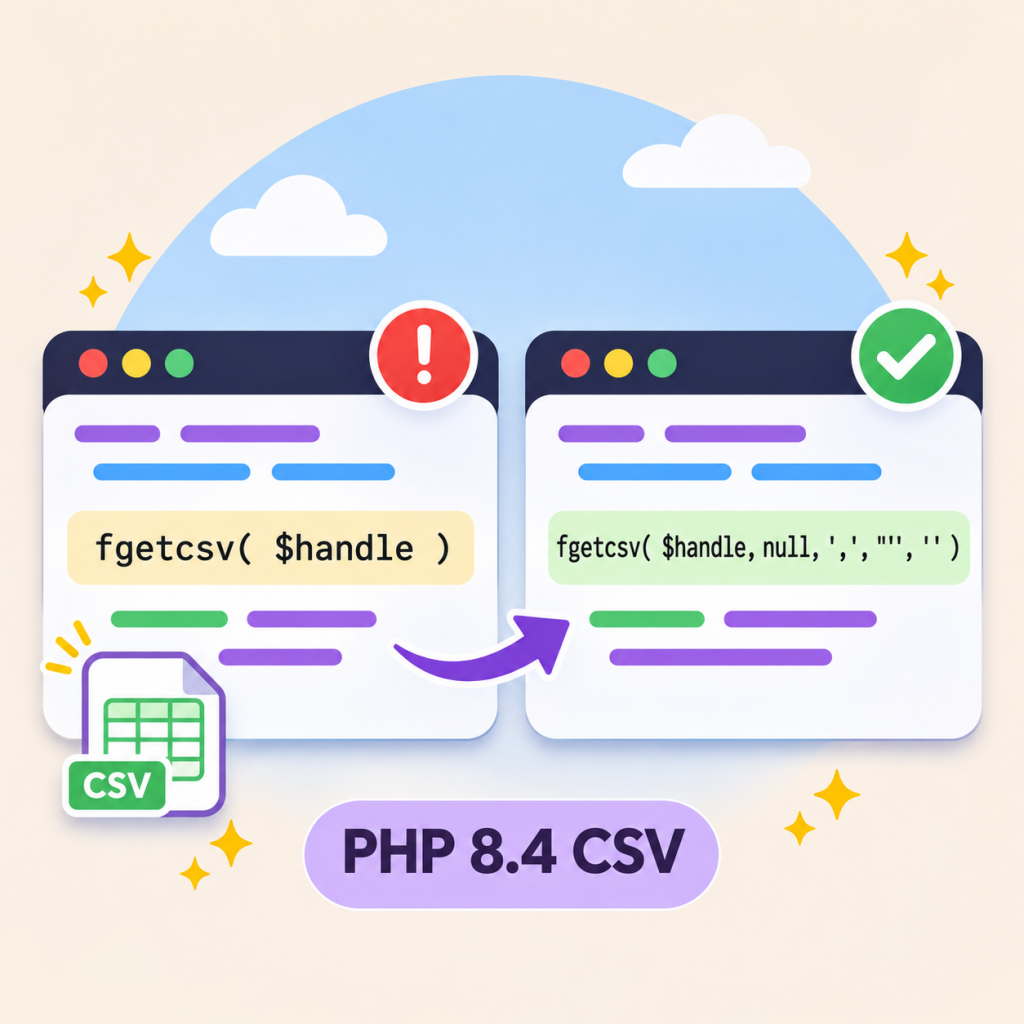
PHP 8.4 started warning about a CSV default that has been quietly breaking fields for years. Here is what the fgetcsv() $escape notice means, why the popular fix is wrong, and how to make your WordPress CSV import and export code correct and injection-safe in one pass.
You bump a site to PHP 8.4, open the debug log, and fgetcsv() is complaining once per CSV row:
Deprecated: fgetcsv(): the $escape parameter must be provided as its default value will change
Most people treat that as noise and add one more argument until it goes quiet. Fair enough, it is only a deprecation. But the notice is pointing at a real bug that has been sitting in PHP CSV code for years, and the “quick fix” most answers give you keeps the bug and just hides the message. This guide shows what the notice actually means, the fix we recommend, and how to make your WordPress CSV exports safe while you are in there.
What the PHP 8.4 fgetcsv() deprecation actually says
Since PHP 8.4, calling any of the built-in CSV functions without an explicit $escape argument raises a deprecation. We ran the same script on the official PHP 8.3, 8.4, 8.5 and 8.6 Docker images. PHP 8.3 stays silent. PHP 8.4, 8.5 and 8.6 all print:
fgetcsv():the $escape parameter must be provided as its default value will changefputcsv(): the same messagestr_getcsv(): the same messageSplFileObject::setCsvControl(): the same messageSplFileObject::fgetcsv():the $escape parameter must be provided, as its default value will change, either explicitly or via SplFileObject::setCsvControl()SplFileObject::fputcsv(): the same message asSplFileObject::fgetcsv()
The PHP manual is blunt about why. The default escape character is a backslash, and the manual says that “it is recommended to set it to the empty string explicitly.” It also states the default will change in a future version, no earlier than PHP 9.0. So code that relies on the default today will quietly change behaviour later. That is what the warning is protecting you from.
Why the backslash default breaks real CSV files
CSV has a standard, RFC 4180. In that standard, a double quote inside a quoted field is escaped by doubling it. There is no backslash escaping at all. PHP’s backslash escape is its own invention, and the manual admits it can produce CSV that is not RFC 4180 compliant.
Here is where it bites. Take a perfectly valid RFC 4180 line where the first field is quoted and ends in a backslash (a Windows path, a regex, a typo). It is not exotic: PHP’s own fputcsv() writes exactly this line for that row once the escape is off:
<?php
$line = '"ends with backslash\",second';
// Default behaviour (backslash escape), passed explicitly so it runs silently on 8.4+.
var_export( str_getcsv( $line, ',', '"', '\\' ) );
// array ( 0 => 'ends with backslash\\",second', )
// RFC 4180 behaviour.
var_export( str_getcsv( $line, ',', '"', '' ) );
// array ( 0 => 'ends with backslash\\', 1 => 'second', )
Two fields went in. With the backslash escape, one field came out, and it swallowed the rest of the line. In an importer that means a shifted row, a product with the wrong price, or a user imported with half their data in the wrong column. No error. No warning on PHP 8.3. Just wrong data.
This is why we do not like the most common answer online, which is “pass '\\' and move on.” We tested it. Passing the backslash explicitly does silence the notice on 8.4, 8.5 and 8.6. It also keeps the exact bug above.
The fix: pass an empty string
For almost every WordPress plugin, the right value is ''. It turns off PHP’s proprietary escaping, so your reader and writer follow RFC 4180 and round-trip cleanly with spreadsheet apps.
<?php
// Before: relies on the default, deprecated since PHP 8.4.
$row = fgetcsv( $handle );
fputcsv( $handle, $fields );
$data = str_getcsv( $line );
// After: explicit, RFC 4180 friendly.
$row  = fgetcsv( $handle, null, ',', '"', '' );
fputcsv( $handle, $fields, ',', '"', '' );
$data = str_getcsv( $line, ',', '"', '' );
Two honest caveats before you search and replace:
- Old files written with the backslash escape: if your plugin wrote CSV files in the past with the default, and those files contain
\"sequences, reading them back with''can parse them differently. If you have a stored archive like that, read legacy files with'\\'and new files with''. - Old PHP versions: the empty string is only accepted from PHP 7.4. WooCommerce takes a different route and passes
"\0", a null byte, which also switches the escape off in practice. Both values round-tripped our backslash test correctly on 8.4, 8.5 and 8.6.
Find every call site in your plugin
Do not trust memory on this one. CSV calls hide in importers, exporters, WP-CLI commands and bundled libraries. This grep lists every call in a plugin folder:
grep -rnE '\b(fgetcsv|fputcsv|str_getcsv|setCsvControl)\s*\(' --include='*.php' wp-content/plugins/your-pluginWhen we ran it across our own install, it turned up our own waitlist export calling fputcsv() with no escape argument, and the Action Scheduler library (bundled inside WooCommerce and Easy Digital Downloads) calls str_getcsv( $string ) bare in its WP-CLI command in every release so far, up to 4.2.0. Action Scheduler fixed it in trunk on October 1, 2026, but no release has it yet, and the fix passes '\\', the same quick fix we pushed back on above. WordPress core itself had no calls in wp-includes or wp-admin on our 7.0 install. If the hit is inside a plugin you do not own, report it upstream instead of patching vendor files.
Build one helper and use it everywhere
Scattering ',', '"', '' across forty call sites is how the next person forgets one. Put the settings in one place. While you are there, fix the other CSV problem most WordPress exports have.
CSV injection, the other bug in your export
A CSV cell that starts with =, +, - or @ can be run as a formula when someone opens the file in Excel or Google Sheets. PHP does nothing about this. We wrote =HYPERLINK("http://evil.test","Click") through fputcsv() on every PHP version from 8.3 to 8.6 and it came out untouched every time.
On a WordPress site that matters, because export data is often visitor-controlled. Display names, form entries, order notes and waitlist signups all end up in admin CSV exports. This is not theoretical: Patchstack lists CSV injection advisories for plugins such as Ninja Forms (up to 3.15.3) and Simple CSV/XLS Exporter. OWASP’s guidance is to neutralize those leading characters, and WooCommerce’s own exporter does it by prefixing a single quote.
The dt_csv_safe_cell() function below follows the same approach, and the two wrappers apply it plus the explicit escape setting to every row:
<?php
/**
 * Neutralize a CSV cell so spreadsheet apps do not run it as a formula.
 *
 * Pure numbers are left alone, so negative values like -42 stay numeric.
 *
 * @param mixed $value Raw cell value.
 * @return string Safe cell value.
 */
function dt_csv_safe_cell( $value ) {
	$value = (string) $value;
	if ( '' === $value || is_numeric( $value ) ) {
		return $value;
	}
	if ( false !== strpbrk( $value[0], "=+-@\t\r\n" ) ) {
		$value = "'" . $value;
	}
	return $value;
}
/**
 * Write one CSV row with explicit, RFC 4180 friendly settings.
 *
 * @param resource $handle Open, writable file handle.
 * @param array    $fields Row values.
 * @return int|false Bytes written, or false on failure.
 */
function dt_csv_put_row( $handle, array $fields ) {
	return fputcsv( $handle, array_map( 'dt_csv_safe_cell', $fields ), ',', '"', '' );
}
/**
 * Read one CSV row with explicit, RFC 4180 friendly settings.
 *
 * @param resource $handle Open, readable file handle.
 * @return array|false Row values, or false at the end of the file.
 */
function dt_csv_get_row( $handle ) {
	return fgetcsv( $handle, null, ',', '"', '' );
}
What this does not do: it does not make a CSV safe once Excel has re-saved it, since Excel can strip the protective quote on the way back out (OWASP warns about this too). And the prefix is visible in the cell, which is the trade-off every spreadsheet-safe export makes. If a column is meant to be machine-read, validate it as data instead of relying on the prefix.
Wiring it into an admin export
Here is a complete admin_post handler that streams subscribers to CSV. It checks the manage_options capability and a nonce before it touches any data, and every row goes through dt_csv_put_row():
<?php
/**
 * Stream a CSV of subscribers to an administrator.
 *
 * Trigger it with a link built by wp_nonce_url() pointing at
 * admin-post.php?action=dt_export_subscribers.
 *
 * @return void
 */
function dt_export_subscribers_csv() {
	if ( ! current_user_can( 'manage_options' ) ) {
		wp_die( esc_html__( 'You are not allowed to export this data.', 'dt' ), 403 );
	}
	check_admin_referer( 'dt_export_subscribers' );
	$users = get_users(
		array(
			'role'   => 'subscriber',
			'fields' => array( 'user_email', 'display_name', 'user_registered' ),
		)
	);
	nocache_headers();
	header( 'Content-Type: text/csv; charset=utf-8' );
	header( 'Content-Disposition: attachment; filename=subscribers-' . gmdate( 'Y-m-d' ) . '.csv' );
	$out = fopen( 'php://output', 'w' );
	dt_csv_put_row( $out, array( 'Email', 'Name', 'Registered' ) );
	foreach ( $users as $user ) {
		dt_csv_put_row( $out, array( $user->user_email, $user->display_name, $user->user_registered ) );
	}
	fclose( $out );
	exit;
}
add_action( 'admin_post_dt_export_subscribers', 'dt_export_subscribers_csv' );
Note the display_name column. Any registered user can set their own display name, which makes it exactly the kind of field a formula payload hides in.
PHP 8.6 adds a second notice for SplFileObject
If your importer reads files through SplFileObject, there is more coming. On the official PHP 8.6.0 image, every CSV method on that class raised its own notice, even with every argument passed explicitly:
Deprecated: Method SplFileObject::fgetcsv() is deprecated since 8.6
We saw the same for setCsvControl() and fputcsv(). The plain fgetcsv() function on a normal file handle stayed clean on 8.6. So if you are touching that code for 8.4 anyway, move it to a plain handle now and do the job once:
<?php
$handle = fopen( $path, 'r' );
if ( false === $handle ) {
	return;
}
while ( true ) {
	$row = dt_csv_get_row( $handle );
	if ( false === $row ) {
		break;
	}
	// A blank line comes back as array( null ), so skip it.
	if ( array( null ) === $row ) {
		continue;
	}
	// Process $row here.
}
fclose( $handle );
FAQ
Should I pass an empty string or a backslash?
An empty string, unless you are reading old files your own code wrote with the backslash escape. The backslash silences the notice but keeps the field-merging bug.
Is it safe to just hide the deprecation notice?
It is safe in the sense that nothing breaks today. But the default is scheduled to change in a future PHP version, so code that relies on it will change behaviour without you touching it. Fix the call, do not mute it.
Will the fgetcsv() notice break my import?
No. A deprecation is a notice, not an error. WordPress only reports it when WP_DEBUG is on. Then it shows on screen if WP_DEBUG_DISPLAY is also on, which it should never be on a live site, and lands in wp-content/debug.log if WP_DEBUG_LOG is on. With logging on, you get one line per call, and on a big import that is a lot of lines.
Does WooCommerce’s product CSV importer have this problem?
Not in current trunk. WooCommerce’s product importer and exporter already pass the escape argument explicitly, and the exporter neutralizes formula characters. Custom import code and smaller plugins are where we found it.
What about str_getcsv() on a single line?
Same rule, same fix. It takes the same $escape argument as the file functions and raises the same notice.
For the wider picture of PHP deprecations in WordPress, see PHP Deprecation Warnings Explained and the WordPress Plugin PHP 8 Compatibility Guide. If you are still chasing the older ones, the strftime() to IntlDateFormatter guide covers the one most WordPress sites hit first.
Pass the empty string. Neutralize the cells. One helper, every call site, done.